GUI Based Development
The approach uses a GUI, such as pgAdmin, to make the changes.
This approach allows you to use your favorite GUI to modify a database. Then this database is used to export to YAML file(s) to place under source control.
Below, pgAdmin is used, however any GUI could be used, including SQL statements.
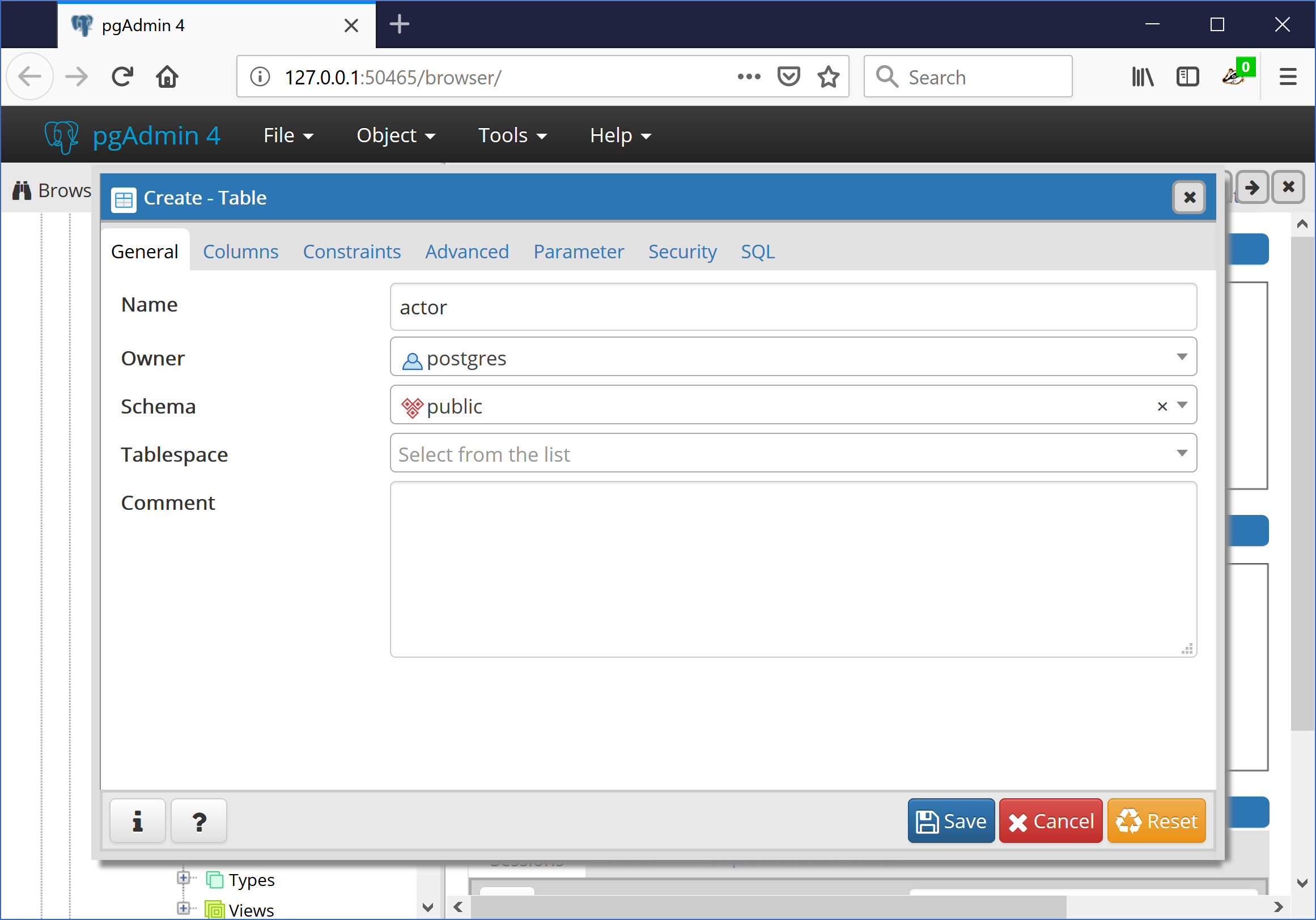
Export Schema to YAML files
Run the following to export the database schema to YAML files to store in source control (multiple files can be used too, see Multiple Files):
$ dbtoyaml -H localhost -U postgres -W -o pyrseas_gui.yaml pyrseas_gui_source
The file, pyrseas_gui.yaml will look something like the following.
extension plpgsql:
  description: PL/pgSQL procedural language
  owner: postgres
  schema: pg_catalog
  version: '1.0'
schema public:
  description: standard public schema
  owner: postgres
  privileges:
  - PUBLIC:
    - all
  - postgres:
    - all
  table actor:
    columns:
    - actor_id:
        not_null: true
        type: integer
    - actor_name:
        not_null: true
        type: character varying(100)
    owner: postgres
    primary_key:
      actor_pkey:
        columns:
        - actor_id
Deploy to a Target Database
Create a database called pyrseas_gui_target, then run the following command:
$ yamltodb -U postgres -W -u pyrseas_gui_target pyrseas_gui.yaml
Password:
BEGIN;
CREATE TABLE actor (
    actor_id integer NOT NULL,
    actor_name character varying(100) NOT NULL);

ALTER TABLE actor OWNER TO postgres;

ALTER TABLE actor ADD CONSTRAINT actor_pkey PRIMARY KEY (actor_id);

COMMIT;
Changes applied
Incremental Change
Now let’s say you want to add a column to the table. In the pyrseas_gui_source database, add the column.
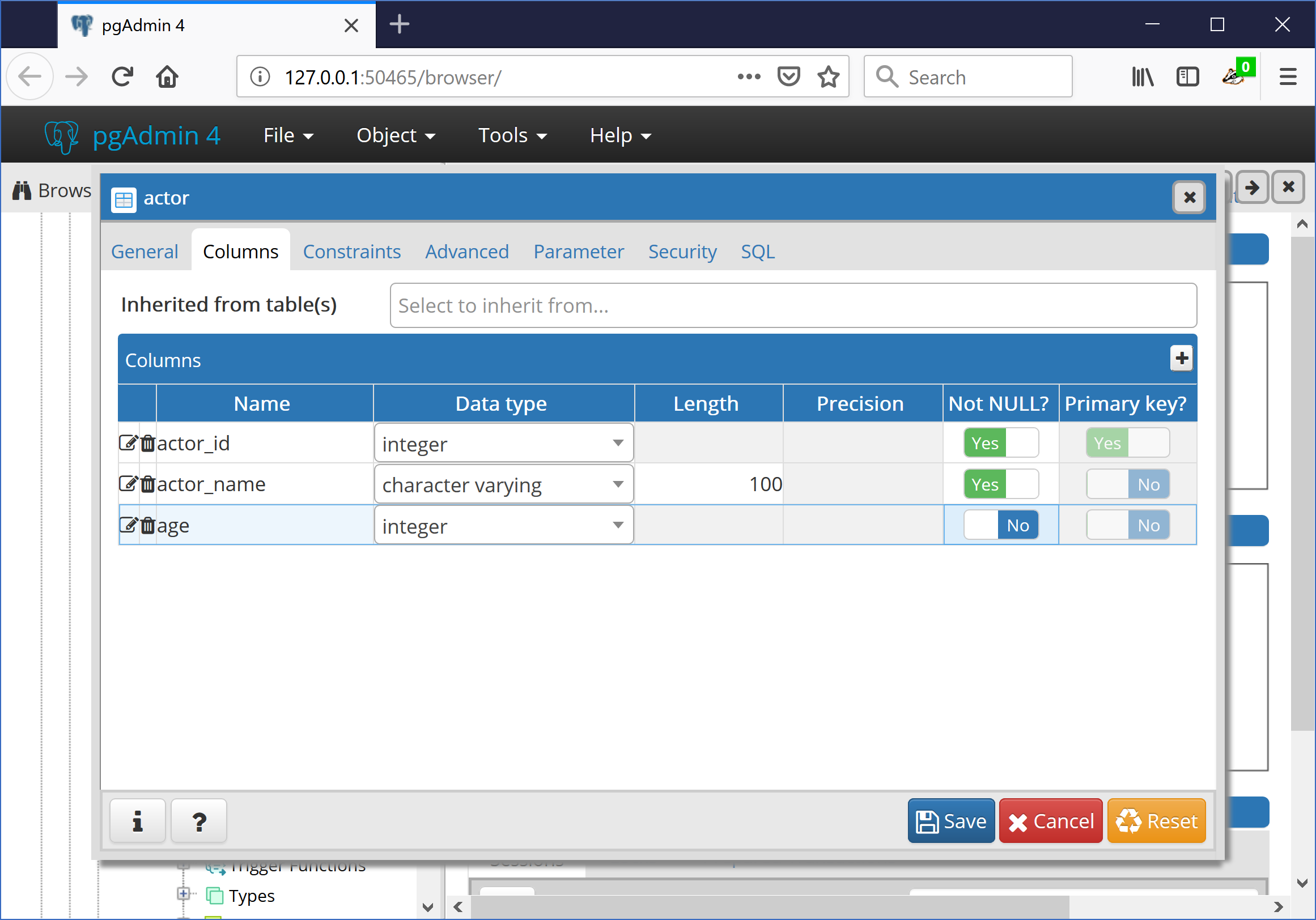
Export Schema to YAML files
Run the same command to export the database to YAML file(s).:
$ dbtoyaml -H localhost -U postgres -W -o pyrseas_gui.yaml pyrseas_gui_source
The file will now contain the new column.
  extension plpgsql:
    description: PL/pgSQL procedural language
    owner: postgres
    schema: pg_catalog
    version: '1.0'
  schema public:
    description: standard public schema
    owner: postgres
    privileges:
    - PUBLIC:
      - all
    - postgres:
      - all
    table actor:
      columns:
      - actor_id:
          not_null: true
          type: integer
      - actor_name:
          not_null: true
          type: character varying(100)
      - age:
          type: integer
      owner: postgres
      primary_key:
        actor_pkey:
          columns:
          - actor_id
Deploy to the target Database
Then deploy to the target database using yamltodb.:
$ yamltodb -U postgres -W -u pyrseas_gui_target pyrseas_gui.yaml
Password:
BEGIN;
ALTER TABLE actor
    ADD COLUMN age integer;

COMMIT;
Changes applied